How to check a COA by SKU and batch
Follow the original PDF from a product specification and compare the complete SKU, report ID and printed batch before approving paperwork.
Keep the SKU, batch and report ID in separate fields
Find the complete SKU on the product page and open the report linked for that specification. The batch number identifies the lot named inside the report. The report ID identifies the PDF itself. Write each identifier in its own column so your purchasing team can compare the record with the quote.
| Complete SKU | Per vial | Batch, report ID and source |
|---|---|---|
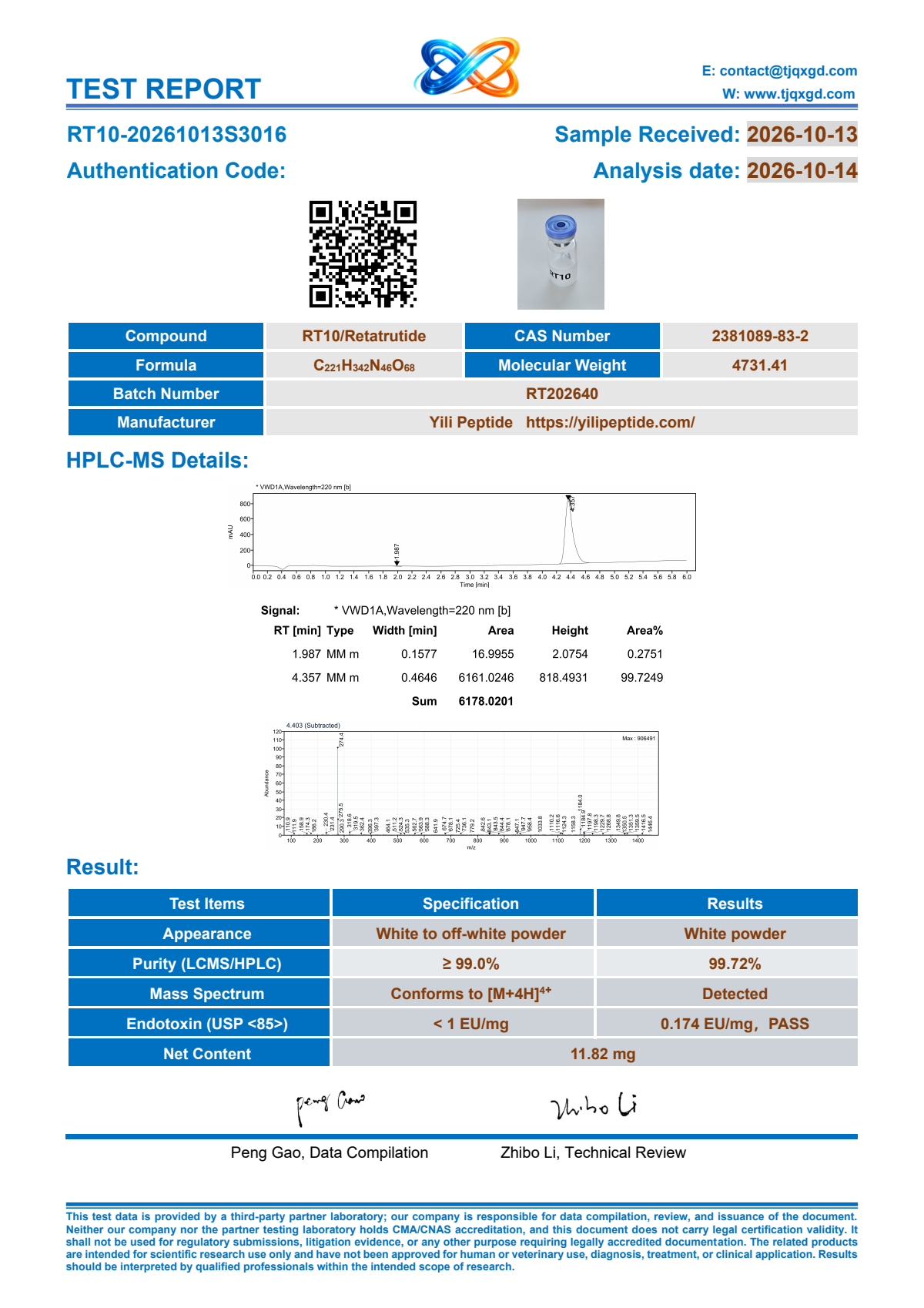
| RT10 | 10 mg | Batch RT202640 Report ID RT10-20261013S3016 Original PDF |
| RT30 | 30 mg | Ask about documents for this specification |
| TR20 | 20 mg | Batch to confirm Report ID TR20-20260917S8803 Original PDF |
Some PDFs have a report ID without a separate printed batch field. In that case, record the report ID and ask the team to confirm the batch correspondence. Keep the batch field pending until you have that confirmation.
Open the original PDF and compare the quoted lot
- Ask for the complete SKU and batch on the proposed quote if either field is missing.
- Search the COA library by complete SKU, printed batch number or report ID. You can also start from the selected product’s COA panel.
- Open the original PDF from the result. Compare the specification and printed identifiers with the quote.
- Record the match for the corresponding quote line, or ask the team to resolve any discrepancy in writing.
The image shown in the library is the first-page preview. Keep the original PDF link in your purchase record so your team can refer to the entire document later.
Request the paperwork you need before approval
If the library has no result for your selected specification, send the complete SKU, requested boxes and document requirement with your inquiry. If you already have a batch or report ID from the quote, include it. Ask the team to explain what can be supplied for the specific batch being offered.
For several SKUs, mark which lines need a batch-matched report before order approval. This makes it easier to identify whether the whole request is ready to review or whether one line still needs follow-up.
Search the report library or Ask about quoted-batch documentation.